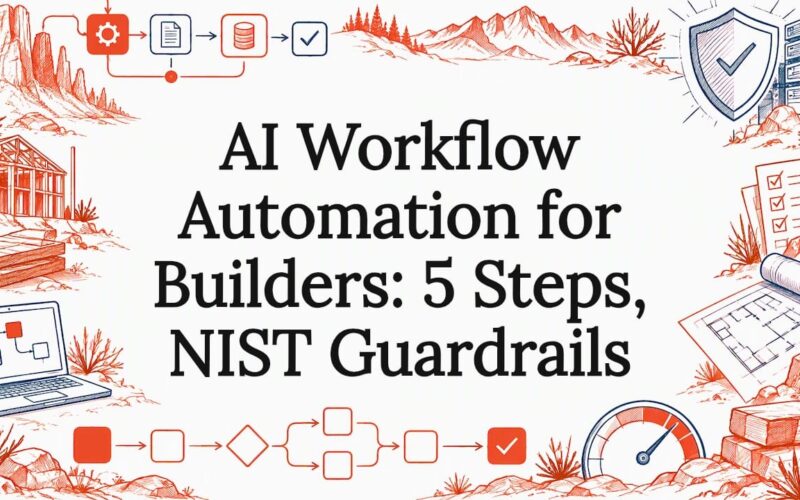
AI workflow automation pairs AI agents with orchestration so software can make decisions, draft content, or take actions without a person touching every step. It suits teams with repeatable decisions and knowledge workers drowning in routine tasks, and success shows up as hours saved per week. Guidance from the NIST AI RMF and KPMG research shapes how we approach it at Red Rock Webscapes.
Key Takeaways
AI workflow automation enhances efficiency by integrating AI agents, orchestration, and data governance, which reduces manual tasks and improves decision-making processes.
| Point | Details |
|---|---|
| Understanding AI components | Knowing the parts of an AI workflow—inputs, reasoning, actions, and audits—helps in evaluating any tool or design. |
| Choosing the right platform | Select a platform based on your team’s skills, control needs, and data sensitivity, balancing no-code, developer, and hosting options. |
| Start simple and test | Build small prototypes on real data, measure error rates, and refine before scaling automation in your operations. |
| Prioritize data quality and security | Ensure data validation at creation, monitor information flows, and handle PII carefully to maintain trusted AI workflows. |
| Redrockwebscapes approach | We help businesses design, build, and support AI workflows tailored to their needs, from initial mapping to ongoing improvement. |
Table of Contents
- What components power an AI workflow?
- Which platform approach fits your team?
- How do you build an AI workflow step by step?
- How should data and integrations be structured?
- What governance and risk controls should you apply?
- What does it cost, and who do you need?
- George’s view: slow down to speed up
- How can we help you put this into practice?
- FAQ
- Sources
What components power an AI workflow?
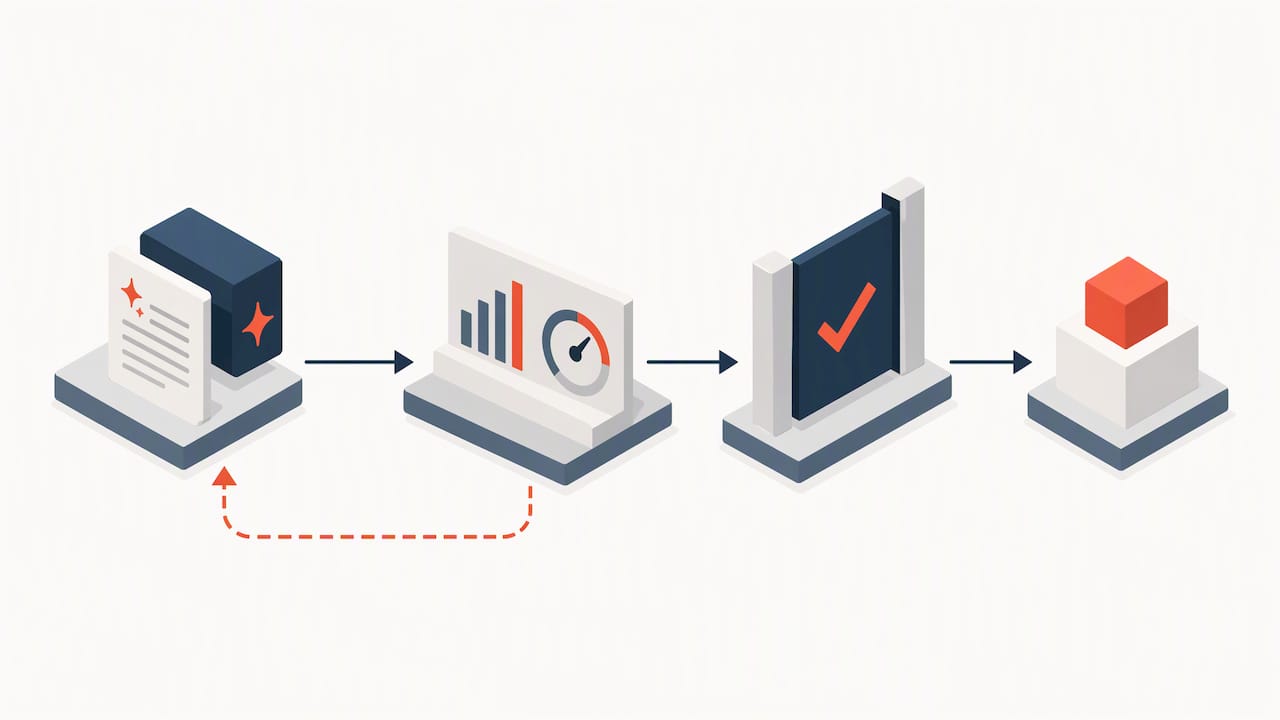
Every AI workflow, whatever platform it runs on, moves through the same chain: input, reasoning, action, audit. IBM’s explainer frames the same component set, and knowing the parts lets you judge any tool or design you meet.
- AI agents take a goal, decide which steps to run, and call other tools. They are the decision-makers in the chain.
- LLMs and generative AI read and write language: classifying a support ticket, summarizing a contract, drafting a reply.
- Model APIs are how your workflow reaches those models without hosting them yourself.
- Knowledge stores and RAG (retrieval-augmented generation) let the model look up your own documents before answering, so it responds from your facts instead of guessing.
- Orchestration layers sequence the steps, handle branching and retries, and decide what runs when.
- Connectors link the workflow to your CRM, store, inbox, or spreadsheet, which is where actions actually land.
- Observability and telemetry record what the system saw, decided, and did, so you can audit and debug it later.
Data quality and security are where most projects stall. In KPMG’s 2025 trust survey, more than half of U.S. respondents named security as their top concern for agentic AI, and nearly half cited data quality as a major limitation. Treat both as design inputs, not afterthoughts.
Which platform approach fits your team?
Your choice should follow your team’s skills, how much control you need, and how sensitive your data is. Vendor names matter less than which of these three shapes you pick.
- No-code and low-code builders let a non-developer drag steps into a canvas and have a prototype running quickly. The tradeoff is limited control over edge cases, and complex branching can become hard to read.
- Developer platforms give you precision: custom logic, tested prompts, version control, and tight integration with your own systems. They also cost engineering time, and someone has to own them after launch.
- Hosting models change the bill more than the features do. Per-task SaaS billing is cheap to start, while self-hosting removes per-task fees but moves cost to infrastructure and engineering effort. Practitioner pricing analyses describe exactly this split.
Community feedback also helps when you shortlist tools, since buyer reviews on G2 show how features hold up in daily use. Large ecosystems such as Microsoft Power Automate sit inside wider enterprise toolsets, which affects integration and governance choices.
Pro Tip: Start on SaaS to prove the workflow works, then move to self-hosting only when your volume climbs or your data is too sensitive to leave your own environment.
How do you build an AI workflow step by step?
Non-coders and engineers can follow the same sequence. The difference is who writes the glue, not what needs to happen.
- Define the outcome and its metrics. Pick one measurable result, such as minutes to answer a lead or share of orders routed without a human.
- Map the process. List who is involved, where data comes from, where decisions happen, and how each step can fail. Mark every point where a person must step in.
- Choose the platform approach and set guardrails. Decide on confidence thresholds, approval gates, and fallback logic before you build, not after the first mistake.
- Prototype small and test on real data. Run a narrow version against representative examples, capture error rates and telemetry, and revise.
- Operationalize. Version your prompts and models like code, monitor outputs, schedule reviews, and write down who responds when something breaks.
Skipping step 2 can lead to rework. A workflow that automates a messy process just produces messy results faster.
Pro Tip: Automate the approval path last. Let the workflow draft and recommend for the first few weeks, and only grant it authority to act once its error rate is a number you have actually measured.
How should data and integrations be structured?
Reliable workflows start with reliable inputs. ISG’s enterprise analysis names data-by-design, adoption accelerators, and governance as the three foundations of lasting AI value. Data-by-design means validating and scoring data where it is created, not cleaning it later in a central warehouse.
- Connectors and API gateways give you one controlled doorway into each system instead of dozens of fragile point-to-point links.
- Event-driven pipelines trigger the workflow when something happens, such as a new order or form submission, rather than polling on a timer.
- RAG index maintenance is routine work: when a policy or price list changes, the knowledge store must change with it, or the model confidently quotes stale facts.
- PII handling needs a decision at design time. Mask or exclude personal data before it reaches a model API, and log who can see what.
- Decision traces, prompt logs, and audit trails make debugging possible. When a customer asks why the system did something, you need the input, the prompt, the output, and the action in one place.
What governance and risk controls should you apply?
The NIST AI RMF organizes risk work into four functions that teams apply repeatedly across the AI lifecycle. Mapped to a workflow:
- GOVERN sets policy and ownership before anything is built.
- MAP documents context, data sources, and who is affected during design.
- MEASURE tests performance and failure rates before and after deployment.
- MANAGE covers monitoring, response, and rollback once the workflow is live.
NIST’s Generative AI profile turns these into concrete actions, including minimum performance thresholds for deployment approval, incident response planning for third-party technologies, and documented risks and fallbacks. Practical controls follow from it:
- Define who can approve, pause, or roll back an automated action, and document that authority for audits.
- Set performance thresholds below which the workflow hands off to a person.
- Write a testing policy and re-run it after every prompt or model change.
- Keep an incident response plan and a record of every third-party model you depend on.
Stating that “a human is in the loop” is not enough. Practitioners warn that oversight needs defined processes and proof that overrides happen in practice. Governance also has to be live: Brookings argues for real-time monitoring and adaptive feedback instead of after-the-fact policy checks.
Why this matters: KPMG found that 58% of U.S. workers admit to relying on AI output without properly evaluating it, so a workflow with no checks inherits that habit at machine speed.
What does it cost, and who do you need?
The bill depends on how you pay for volume. Per-task SaaS billing has a low entry cost but can escalate quickly as runs multiply, while self-hosting trades that for servers and engineering hours. Compare plans carefully: G2’s platform comparison shows how free and starter tiers give way to higher-priced plans once you need more executions, SSO, or advanced security.
- Hidden costs include SSO, compliance work, auditing, monitoring, and ongoing model operations.
- A minimal team is a product owner, a data engineer, someone who runs LLM operations, and a QA or observability engineer. One person can cover several roles at small scale.
- When to bring in help: if you lack two of those roles, a consultant or managed provider is usually cheaper than a stalled project. For picking one, AgencyReviewGuide offers methodology-based agency profiles and shortlists.
George’s view: slow down to speed up
Most teams assume the model is the hard part. In my experience it is the data and the sign-off. A first working prototype often comes together quickly, then weeks pass while people argue about who owns the data and who approves automated actions. Plan for that gap up front, start with one narrow workflow, and treat governance as part of the build, not paperwork after launch.
— George
How can we help you put this into practice?
We turn the approach above into working systems for small businesses and e-commerce teams, so you skip the stall between prototype and production. Our AI consulting pairs workflow design with hands-on implementation, and our team already builds the sites and stores those workflows connect to.
- Discover: we map your process and pick the workflow worth automating first.
- Prototype: we build and test a narrow version on your real data.
- Launch: we connect it to your site, store, and tools.
- Support: we monitor it and keep it improving through our Website Launchpad managed care plans.
Current pricing and engagement details are on our packages page. Tell us the process that eats your week, and we will show you what to automate first.
FAQ
What is the best AI workflow automation tool?
There is no single best tool, because the right one depends on your team’s skills, data sensitivity, and volume. No-code builders suit quick prototypes, while developer platforms suit custom logic and tighter control. Match the approach to your team first, then compare specific tools.
How do you automate processes using AI?
Start by defining one measurable outcome, then map the process and mark where humans must step in. Build a small prototype on representative data, test it, and add guardrails such as confidence thresholds before giving it authority to act. Our AI consulting can guide each stage.
How do you use AI in your workflow safely?
Validate data where it is created, log every decision, and define who can approve or roll back automated actions. The NIST AI RMF offers four functions, GOVERN, MAP, MEASURE, and MANAGE, as a repeatable structure for this.
Do you need to know how to code?
Not to start. No-code and low-code builders cover many simple workflows, though complex branching and custom integrations usually call for a developer. Many teams begin without code and add engineering as the workflow matures.
Sources
- The American Trust in AI Paradox: Adoption Outpaces Governance
- Artificial Intelligence Risk Management Framework: Generative Artificial Intelligence Profile