Product feeds management is the continuous process of preparing, transforming, and validating catalog data so each sales channel receives valid, channel-ready product attributes that maximize eligibility and relevance. Done well, it cuts disapprovals, keeps variants matched correctly, and improves discovery across search and shopping surfaces. The core loop is simple to state and hard to sustain: audit, map, enrich, validate, submit, monitor.
Key Takeaways
Maintaining high-quality, well-validated product feeds is essential for maximizing listing relevance, reducing disapprovals, and improving ad and search performance across channels.
| Point | Details |
|---|---|
| Audit regularly | Conduct comprehensive audits of feed status, disapprovals, and attribute completeness before making changes. |
| Map and stabilize data | Keep product IDs stable and map fields accurately to each channel’s schema for consistency. |
| Enrich data before submission | Update titles, descriptions, and images to match each channel’s taxonomy and improve relevance. |
| Validate at multiple levels | Check both syntax compliance and landing page consistency to ensure data accuracy. |
| Partner with Webrock Webscapes | We build storefronts with stable URLs and structured data to support feed readiness from the outset. |
Table of Contents
- What a product feed contains and which formats channels accept
- Why feed quality shapes ads, listings, and AI shopping results
- Best practices playbook: audit, mapping, enrichment, validation, automation
- Measurement framework: KPIs that show feed health and business impact
- Operational workflow: a checklist for setting up and maintaining feeds
- How web teams and agencies support feed readiness
- Common operational pitfalls and quick mitigations from practitioners
- A managed alternative for teams that want feed-ready storefronts
- FAQ
- Sources
What a product feed contains and which formats channels accept
A feed is a structured file listing every product you sell along with the attributes a channel needs to display and rank it. Required fields typically include id, title, link, price, availability, and image_link. Recommended fields, which are optional but strongly affect performance, include gtin, brand, additional_image_link, and product_type, according to Google’s product data specification.
Channels accept a handful of formats:
- Tab-delimited text files (.txt or .tsv), built from a spreadsheet with one product per line and no trailing tabs.
- XML feeds, common for larger or more complex catalogs.
- Content API submissions, used for programmatic, real-time updates.
Files can be very large, and unsupported formats like HTML will not process. Upload paths include a Google Sheet, a scheduled fetch from a hosted file, or direct API calls, each suited to a different scale of operation, per Google’s submission guidance.
Why feed quality shapes ads, listings, and AI shopping results
Feeds are the raw input channels use to match search queries to products and, increasingly, to populate AI-driven shopping formats. Thin or inconsistent data narrows that match.
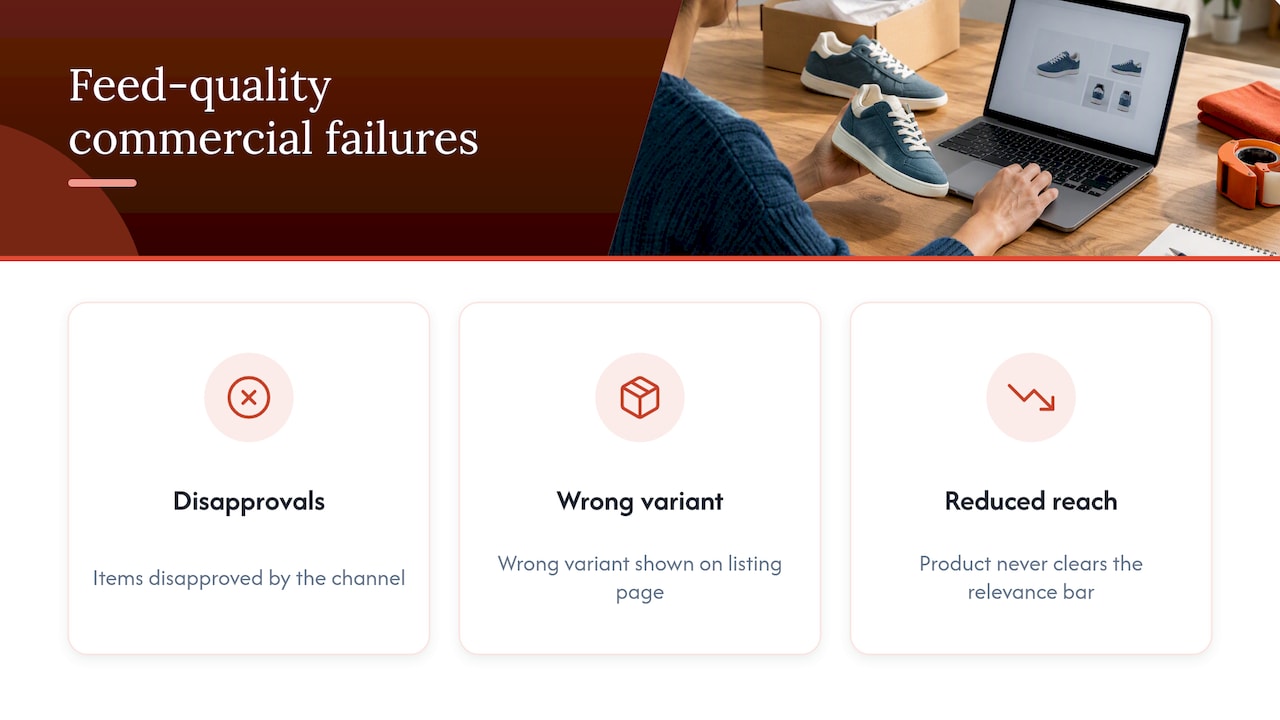
Common commercial failures trace straight back to feed quality: disapproved items, the wrong variant showing on a listing page, and reduced reach because a product never clears the relevance bar. A feed can process successfully and still underperform.
A feed can be fully accepted by a channel and still lose on relevance because recommended attributes like gtin and additional_image_link were left blank, according to Google’s submission guidance. Processing success is a pass/fail gate, not a performance signal. Recommended attributes are where competitive advantage actually lives.
Best practices playbook: audit, mapping, enrichment, validation, automation
Treat your feed like a data pipeline with a single source of truth, not a one-off export. The order below matters: each step depends on the one before it.
- Audit first. Pull processing status, disapprovals grouped by reason, and attribute completeness across your full catalog before changing anything.
- Map canonical fields to each channel’s schema. Keep product and variant IDs stable across every transform so a listing never gets orphaned or merged with the wrong item.
- Enrich before you submit. Rewrite titles, descriptions, categories, and images to match each channel’s taxonomy and expectations rather than reusing generic site copy.
- Validate at two levels. Check syntax against the spec, then check that the submitted landing page actually matches the submitted price, availability, and image.
- Schedule incremental syncs for fast-moving fields like price and stock, with a separate exception queue for items that fail validation so they don’t block the rest of the catalog.
- Automate repetitive transforms such as currency formatting, enumerated-value normalization, and image-link resolution, and keep a change-management calendar for upcoming spec updates.
Pro Tip: Generate enumerated values and IDs programmatically; a single manual edit to a variant ID can quietly break attribution for weeks before anyone notices.
Google’s own format rules for building a tab-delimited product data source are worth following to the letter, since small formatting slips, like a trailing tab or an inconsistent delimiter, cause processing failures that look like data problems but are really file problems.
Measurement framework: KPIs that show feed health and business impact
Feed health and business performance are two different scoreboards, and conflating them hides real problems. Track feed health separately:
- Processing success rate, the share of submitted items that clear validation without errors.
- Disapproved-item count and reasons, broken out by cause so recurring issues get fixed at the source.
- Attribute completeness, especially for recommended fields that affect relevance.
- Price and availability mismatch rate between the feed and the live landing page.
- Refresh latency, how long it takes a catalog change to reach the live feed.
Then track business KPIs on top: impressions, clicks, conversion rate, and ROAS, segmented by channel and product category. The connective step most teams skip is joining feed-change history to performance data, so a spec update or mapping fix can be tied to a measurable shift in clicks or conversion rather than treated as a coincidence.
Operational workflow: a checklist for setting up and maintaining feeds
Standing up a reliable feed is less about tools and more about discipline around a single source of truth.
- Lock down the canonical catalog. Normalize values, assign stable IDs, and designate one system as the record of truth that every channel transform reads from.
- Build a channel schema matrix. Document each destination’s required and recommended fields side by side so mapping gaps are visible at a glance.
- Run validation in layers. Confirm file format compliance, then check enumerated values, then check that destination pages match what the feed claims.
- Set a sync cadence. Push price and stock changes incrementally and frequently; run full syncs for descriptive content like titles and images on a longer cycle.
- Assign ownership and SLAs. Name who fixes disapprovals and how fast, and build a pre-deadline test plan for every announced spec change so updates never land as a surprise.
How web teams and agencies support feed readiness
Reliable feeds start upstream, at the website. A catalog with inconsistent product URLs, missing structured data, or slow-loading images creates feed problems before a single row is mapped.
Agency and web-team involvement typically covers a few concrete areas:
- Canonical URL and catalog structure work so every product has one stable, crawlable source record.
- Structured data and image hosting setup that feeds can pull from directly instead of patching around.
- Integration support for connecting a store’s backend to feed tools or the Content API.
We build e-commerce stores with that kind of catalog and storefront readiness in mind. Before choosing any partner for this work, it’s worth asking direct questions: who has data access and at what permission level, what’s the update cadence for price and stock changes, what’s the rollback procedure if a sync breaks something, and who owns image hosting and CDN performance.
Common operational pitfalls and quick mitigations from practitioners
Three mistakes show up again and again. ID instability, where a product’s identifier shifts between exports, causes variant mismatches; the fix is enforcing canonical IDs and preserving them through every transform. Ignoring landing-page mismatches lets a feed claim a price or availability the live page doesn’t match; automated destination-page parity checks catch this before a channel does. And treating feed management as an occasional export rather than a running process guarantees drift; scheduled incremental syncs with a standing exception queue keep it current instead of reactive.
— George
A managed alternative for teams that want feed-ready storefronts
Not every team has the bandwidth to own this pipeline internally, and that’s where a web partner earns its keep. We build storefronts with canonical URLs, structured data, and optimized image hosting already in place, so the catalog feeding your product feeds starts clean instead of needing retrofits later.
What this typically covers:
- Storefront builds with consistent, stable product URLs and structured data from launch.
- Image optimization and hosting that keeps load times fast and feed-ready.
- Integration support for connecting your catalog to the tools and APIs your channels require.
For teams with heavier media needs, tools like Carvia show how automated image enhancement and description generation can speed up the enrichment step for visually heavy categories like vehicles. On the storefront side, our Website Launchpad program gets a feed-ready site live with managed support built in from the start, and our e-commerce builds range from Brick & Mortar to full Dropshipping setups depending on what your catalog needs. If you’d rather hand off the storefront groundwork than manage it solo, start with a look at our packages and get in touch for a quote.
FAQ
What is feed optimization?
Feed optimization is the practice of improving product attribute data, titles, images, categories, and identifiers, so listings qualify for more channel features and match more search queries. It builds on top of basic feed management, which focuses on getting data accepted, by focusing on data that drives relevance and clicks.
What is product catalog management?
Product catalog management is the broader practice of organizing, storing, and maintaining all product information in one system of record. Feed management draws from that catalog and transforms its data into the specific formats each sales channel requires.
What is a PIM in ecommerce?
A PIM, or product information management system, is software that centralizes product data such as descriptions, specifications, and images before it’s distributed to a website, marketplace, or ad channel. It typically sits upstream of feed management, acting as the canonical source that feed transformations pull from.
What is an example of a data feed?
A common example is a tab-delimited file listing products with columns for id, title, price, availability, and image_link, formatted according to a channel’s product data specification. Retailers can build these directly in a spreadsheet and export them as .txt or .tsv files for upload, as described in Google’s guide to tab-delimited feeds.
How often should I update my product feed?
Fast-changing fields like price and stock should sync on a frequent, incremental schedule, while descriptive content like titles and images can run on a longer full-sync cycle. This split keeps feeds current without rebuilding unchanged data every time.