The three actions that most reliably prevent ranking loss during a site migration are benchmarking your current search performance, building a one-to-one redirect map, and testing every redirect and status code on staging before launch. The sections below turn those three moves into a full seo migration checklist, from pre-launch audits through 90 days of post-launch monitoring, with a managed path available if you’d rather hand the work off.
Key Takeaways
Effective site migrations rely on thorough planning, comprehensive URL mapping, pre-launch testing, and continuous post-launch monitoring to preserve rankings and traffic.
| Point | Details |
|---|---|
| Benchmark current performance | Establish baseline data from Search Console and analytics to measure success and identify issues post-migration. |
| Create a detailed redirect map | Map each old URL to its new counterpart, ensuring direct redirects to prevent ranking erosion. |
| Test redirects before launch | Verify all redirects and status codes in staging to catch errors and avoid ranking drops during live deployment. |
| Conduct extensive pre-launch QA | Mirror production environment in staging, validate structured data, and ensure all tags and links are correct. |
| Redrockwebscapes offer comprehensive support | We provide end-to-end migration services, including URL mapping, staging setup, and post-launch monitoring for 90 days. |
Table of Contents
- Planning Your Migration: Audits, Backups, and Baselines
- Crawling and Inventorying Every URL Before You Move
- Building the Redirect Map Without Creating Chains
- Staging, QA, and Pre-Launch Testing
- Launch Day: The Sequence That Catches Problems Fast
- Monitoring Performance in the First 90 Days
- Common Migration Mistakes and How to Fix Them Fast
- How Red Rock Webscapes Approaches Site Migrations
- What I’d Check First When a Migration Goes Sideways
- Get Migration Support That Covers the Whole Checklist
- FAQ
- Sources
Planning Your Migration: Audits, Backups, and Baselines
Every migration that keeps its rankings starts with a clear picture of what currently works. Before any URL moves, you need baseline data, a defined scope, and a team that knows who owns what.
Start by setting measurable goals. “Don’t lose traffic” is not a target.
Next, pull your baseline numbers. Export Google Search Console data covering queries, clicks, impressions, and your top-performing pages for at least the prior 90 days. Pull the matching window from your analytics platform so you have a side-by-side record of what “normal” looked like before launch. Without this, you have no way to prove a traffic dip is migration-related rather than seasonal.
Run a full site audit before you touch anything. This means crawling the live site, identifying your highest-traffic and highest-backlink pages, and flagging anything that drives meaningful revenue or rankings so it gets priority treatment in the redirect map.
Back everything up. Archive your current sitemap files and robots.txt alongside a full site backup, since these documents often become the reference copy you compare the new site against during QA.
Finally, name the migration type, because each one carries different risks:
- Domain change: moving from one domain to another, which requires Search Console’s Change of Address tool after redirects are live.
- Replatforming: switching CMS or ecommerce platform (for example, moving off Shopify or onto it) while keeping the same domain.
- URL structure change: restructuring folders, slugs, or categories without changing platform or domain.
- Combined migration: two or more of the above happening at once, which multiplies testing surface area.
Pre-launch tasks to lock down before development starts:
- Define KPIs and the acceptable traffic variance window.
- Assign an owner for SEO, development, content, and QA.
- Export Search Console and analytics baselines.
- Audit and rank pages by traffic and backlink value.
- Back up the current site, sitemap, and robots.txt.
- Document the migration type and its specific risks.
Skipping any one of these steps rarely kills a migration on its own, but skipping two or three at once is how teams end up discovering problems weeks after launch instead of hours after.
Crawling and Inventorying Every URL Before You Move
A redirect map is only as good as the URL list it’s built from. Before mapping anything, crawl the entire live site and export every indexable URL along with its canonical tag, so you know which pages search engines actually treat as the authoritative version.
Cross-reference that crawl against your Search Console and analytics exports. Pages that show up in analytics but not in the crawl (or vice versa) usually point to orphaned pages, broken internal links, or URLs blocked from crawling that still receive traffic from external links or direct visits.
While crawling, flag three categories separately:
- Duplicate and parameterized URLs: filtered, sorted, or tracking-tagged versions of the same page that shouldn’t each get their own redirect entry.
- Hreflang sets: any pages with language or region alternates, since these relationships need to be rebuilt on the new URLs, not just the pages themselves.
- Structured data types: schema markup present on product, article, FAQ, or local business pages that needs to exist on the new site in the same form.
A simple inventory table makes this easier to hand off to developers:
| URL category | What to capture | Why it matters |
|---|---|---|
| Canonical pages | Final canonical URL, title, meta description | Defines the authoritative version to redirect to |
| Duplicate/parameterized | Pattern of the parameter, canonical target | Prevents redirect bloat and index confusion |
| Hreflang pages | Language/region pairs | Keeps international targeting intact |
| Structured data pages | Schema type (Product, Article, FAQ, LocalBusiness) | Lets dev rebuild markup correctly on launch |
Archive.org snapshots and the structured data validator are useful here too: the former lets you check historical versions of pages that may have changed since your last crawl, and the latter confirms your schema markup is valid before you try to replicate it on the new site.
Building the Redirect Map Without Creating Chains
This is the step that determines whether your migration preserves rankings or quietly erodes them over the following months. Search Engine Land’s migration guide identifies incomplete URL mapping and blanket redirects as a leading cause of migration failures, and the fix is straightforward even if the execution takes time.
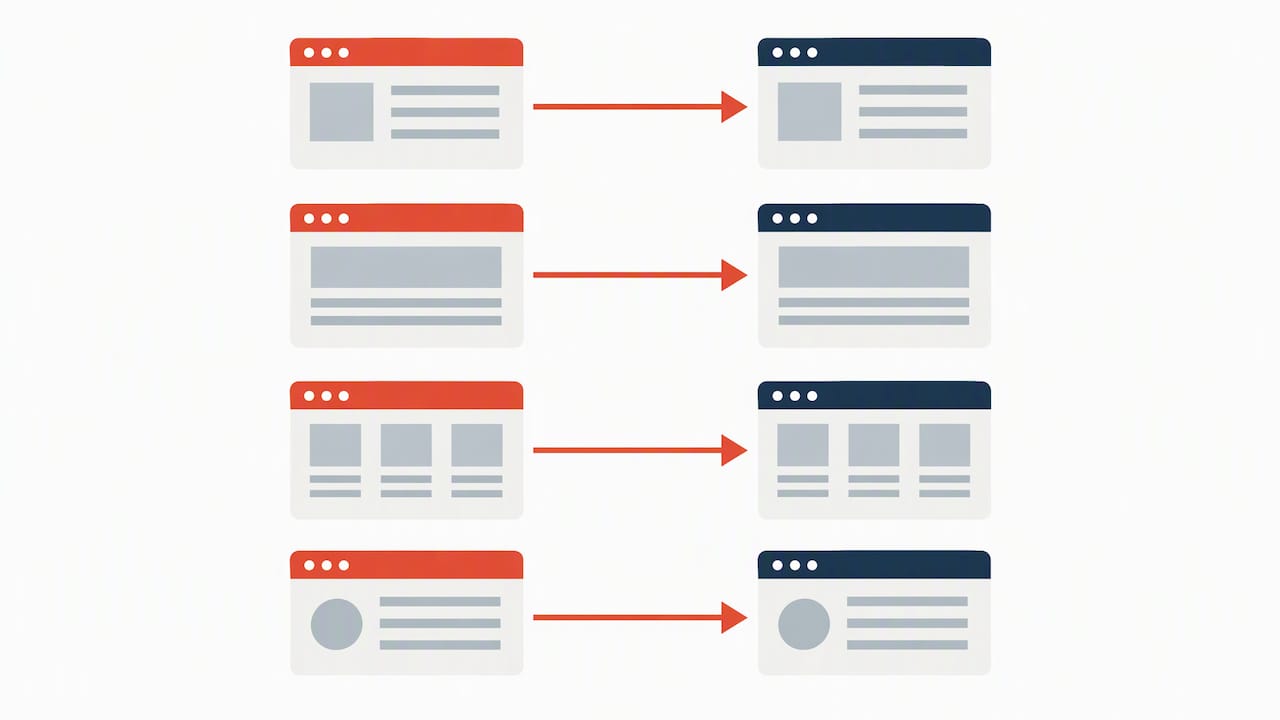
- Map every old URL to its single closest equivalent on the new site, one to one.
- Only merge multiple old URLs into one new URL when the content itself is genuinely being consolidated, never as a shortcut.
- Implement all permanent redirects server-side as 301s. Google’s documentation on HTTP status codes confirms 3xx redirects are followed by Googlebot, generally up to 10 hops, but each extra hop adds crawl delay and risk.
- Flatten chains so every old URL points directly to its final destination, never through an intermediate redirect.
- Test redirects at scale before launch, sampling your highest-traffic and highest-backlink pages first since those carry the most risk if they break.
- Keep old domains and their redirects live for at least 180 days, longer for large sites, since Google’s Change of Address signal persists for 180 days after submission.
Redirect chains aren’t just a crawl efficiency issue. Guidance on redirect chains and site performance notes that mapping old URLs directly to final targets, rather than through intermediate hops, avoids both crawl latency and indexing confusion during the exact window when search engines are reassessing your site.
Pro Tip: Build your redirect map as a spreadsheet with old URL, new URL, and redirect type columns, then have developers generate the actual redirect rules from that file. It catches mapping gaps before they become live 404s.
Staging, QA, and Pre-Launch Testing
Staging environments exist to catch problems before they’re public, but only if they’re configured correctly from day one. Block search engines from crawling or indexing staging with a password wall or IP restriction rather than relying on a noindex tag alone, since noindex tags on staging sometimes get copied into production by accident.
Mirror your production configuration as closely as possible: same server headers, same caching rules, same CMS version. A staging environment that behaves differently from production defeats the purpose of testing on it.
Before launch, run through this QA list:
- Crawl staging to confirm status codes, broken internal links, and Core Web Vitals scores match or beat the current site.
- Validate structured data on every template type using the schema validator.
- Check that meta tags, canonical tags, and hreflang directives point to the correct new URLs, not staging URLs.
- Confirm robots.txt on staging still blocks crawling, and that the production version is ready to allow it the moment you flip the switch.
- Walk through real user journeys (search, add to cart, checkout, form submission) and confirm analytics and conversion tracking fire correctly.
Migrations commonly take 30 to 90 days for indexing and rankings to stabilize, which is exactly why pre-launch QA matters more than post-launch firefighting. Catching a broken canonical tag on staging costs you an afternoon. Catching it three weeks after launch costs you a month of recovery.
Launch Day: The Sequence That Catches Problems Fast
Launch day success comes down to running checks in the right order, immediately, rather than waiting to see if anything looks wrong.
- Launch during a low-traffic window and notify every stakeholder on the communication channel agreed on during planning.
- Remove staging noindex directives and confirm the live robots.txt allows crawling of the pages you want indexed.
- Check HTTP status codes across your redirect map and confirm 301s are live, not still returning 302s or 404s.
- Submit the updated sitemap in Search Console, and file a Change of Address if the migration involves a domain change.
- Run smoke tests on critical user flows (homepage, top category pages, checkout) and start a fresh crawl immediately to surface errors while they’re still cheap to fix.
Keep this list handy during the launch window so nothing gets skipped under time pressure:
- Status codes verified on the top 50 highest-traffic URLs.
- Sitemap submitted and showing as processed, not just submitted.
- Analytics and conversion tracking confirmed firing on live pages.
- Internal search and navigation links pointing to new URLs, not redirected old ones.
A rollback plan documented in advance, with a named owner, makes the difference between a 20-minute fix and a multi-day scramble if something breaks at scale.
Monitoring Performance in the First 90 Days
Rankings and indexing rarely resettle overnight. Set a monitoring cadence: check daily for the first two weeks, then weekly through day 90, since that window covers the typical recovery timeline for indexing and ranking signals to stabilize after a migration.
Track these metrics against your pre-launch baseline:
- Organic clicks and impressions by query, compared to the same period last year and the 90 days before launch.
- Index coverage in Search Console, watching for a spike in excluded or error pages.
- 404 and 5xx server errors appearing in crawl reports or server logs.
- Redirect chains that slipped through QA, especially on pages added after the redirect map was finalized.
When something breaks, triage in priority order: robots.txt or noindex issues first since they block indexing entirely, redirect chains second since they slow crawling and dilute signals, and dropped high-value pages third since those carry the most ranking equity to lose. Recovery case studies consistently show that fixing redirects and robots.txt errors restores indexing and traffic over the following months, often faster than teams expect once the root cause is addressed.
Pro Tip: Pull raw server logs alongside Search Console data. Search Console shows processed signals with a delay; logs show exactly what Googlebot fetched and when, which is often the faster way to confirm a fix actually worked.
Keep old-domain redirects active and resubmit your sitemap any time you make structural changes during this window. Filing Change of Address once, right after launch, is sufficient. You don’t need to resubmit it unless you change domains again.
Common Migration Mistakes and How to Fix Them Fast
The same handful of mistakes account for most migration damage, and most have quick fixes once caught:
- Redirecting every old URL to the homepage. Map each page to its closest equivalent instead; blanket homepage redirects are a well-documented cause of ranking and traffic loss.
- Redirect chains and loops. Crawl your live redirect map weekly for the first month and flatten any chain longer than one hop immediately.
- Accidental noindex or robots.txt blocks on production. Check both the moment you launch, since staging configurations get copied over more often than teams expect.
- Broken analytics and tracking. Confirm your tracking code fires on new URLs within the first hour of launch, since a broken baseline makes every later comparison meaningless.
How Red Rock Webscapes Approaches Site Migrations
Our Website Launchpad program grew out of handling the exact migration tasks covered here: redirect mapping, staging QA, and post-launch monitoring, for small business and ecommerce clients moving platforms or rebuilding a site. We pair traditional development practices with AI-assisted workflows to move through redirect mapping and technical QA faster without skipping verification steps.
Our managed care packages extend past launch day, covering hosting, ongoing SEO support, and post-launch monitoring for the critical first 90 days. For stakeholder alignment during a migration, including larger organizational moves, guidance on customer migration planning during brand integration offers a useful framework for keeping teams coordinated.
George, the author of this guide, draws on hands-on migration work when outlining these steps.
What I’d Check First When a Migration Goes Sideways
If a migration starts losing traffic, I check three things before anything else: whether robots.txt or a stray noindex tag is blocking the new pages, whether the top 20 highest-traffic URLs are returning the correct status code and redirect target, and what Search Console’s index coverage report shows for newly excluded pages.
After that, I set expectations with stakeholders immediately: most recoverable issues resolve within a few weeks of the fix going live, not within days, and saying so upfront prevents a lot of unnecessary panic in the second week.
— George
Get Migration Support That Covers the Whole Checklist
Running every item on this checklist in-house takes real time, and a missed redirect or a stray noindex tag can undo weeks of planning in a single launch. We built our Website Launchpad program so smaller teams don’t have to choose between a careful migration and a fast one.
Our Managed Core, Growth Care, and Commerce Care plans cover the parts of a migration that are easiest to get wrong under deadline pressure:
- URL mapping and server-side redirect implementation, tested before launch, not after.
- Staging environment setup with proper indexing blocks and production mirroring.
- Post-launch monitoring through the critical first 90 days, with hotfixes handled directly.
If you’re planning a migration and want a team that’s already run this checklist on real client sites, explore our Website Launchpad plans to see which care package fits your timeline.
FAQ
What Is a Post-Migration Checklist?
A post-migration checklist is the set of checks you run after launch to confirm redirects, indexing, and tracking are working correctly. It typically covers the first 30 to 90 days and includes daily status code checks, weekly crawl error reviews, and sitemap resubmission when structural changes occur.
Can I Transfer SEO From One Website to Another?
Yes, through server-side 301 redirects that map each old URL to its closest new equivalent, which passes most ranking signals to the new location over time. The transfer isn’t instant: Google’s own guidance notes indexing and ranking signals typically take 30 to 90 days to stabilize after a migration.
Will Domain Migrations Increase SEO Traffic?
A domain migration on its own doesn’t increase traffic; its goal is to preserve the traffic and rankings you already have. Any traffic growth after a migration usually comes from separate improvements, like better site structure or content, made alongside the move rather than from the migration itself.
How Do I Migrate Content From One Website to Another?
Start with a full crawl and URL inventory of the old site, then build a one-to-one map from old URLs to new ones before moving any content. Migrate content onto staging first, verify it matches the original (including structured data and canonical tags), and only then implement the server-side redirects that connect the old URLs to their new locations.
Sources
- Change of Address tool – Search Console Help
- HTTP status codes – Troubleshooting crawling
- How to run a successful site migration from start to finish